
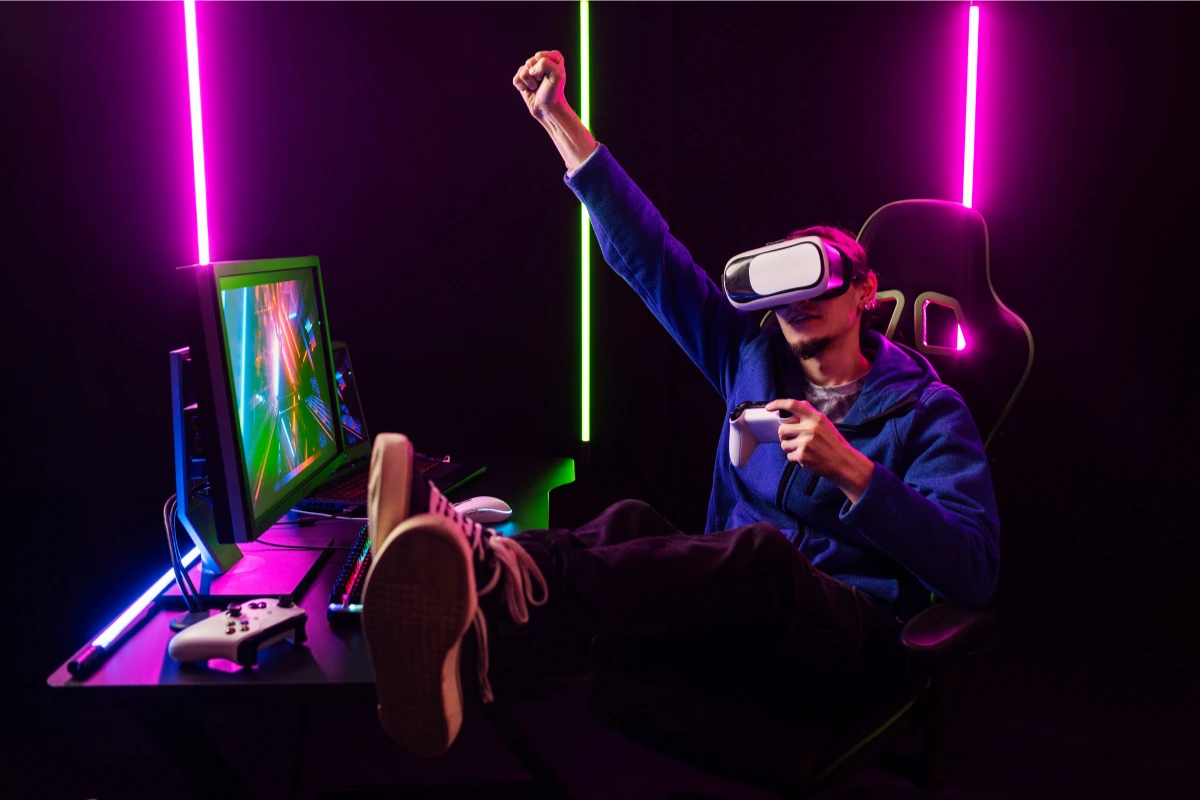
Building the ideal gaming setup is about more than just choosing the right hardware or picking the best games. It’s about creating an environment that enhances your overall experience, whether you’re gaming for fun, streaming, or even working. Accessories play a crucial role in this setup, as they directly influence both your performance and comfort.
From cooling systems that ensure your rig stays cool under pressure to chairs that support your posture during long gaming sessions, the right accessories can make a huge difference. Each piece of gear is an investment in the quality of your experience, helping you stay comfortable and perform at your best. Whether you’re a competitive gamer or someone who just loves playing for hours, understanding how to optimize your setup with the right accessories is key.
This guide will cover the most essential gaming accessories to enhance both your performance and comfort, from cooling systems to ergonomic chairs, monitor arms, and more. If you’re serious about gaming, optimizing your setup with these accessories can help you play longer, more efficiently, and without unnecessary discomfort.
For deeper insights into specific accessories like water cooling systems and gaming chairs, check out the individual articles in our collection, such as the guide on water cooling for gaming and the ultimate gaming chair guide.
Section 1: Cooling systems – keeping your rig at optimal temperature
When it comes to gaming, one of the biggest threats to both your PC and performance is overheating. Whether you’re running the latest AAA games or engaging in long online sessions, your components can generate a lot of heat, which can lead to system instability, crashes, or worse, permanent hardware damage. This is where cooling systems come into play.
Why cooling matters for gaming performance
Keeping your components cool is essential for maintaining peak performance. When your CPU or GPU heats up beyond optimal levels, the system will often throttle performance, slowing down the processing speeds to prevent overheating. This can cause frame drops, lag, and stutter, disrupting your gaming experience. The importance of an efficient cooling system can’t be overstated—it ensures that your hardware performs at its best without interruption.
For serious gamers, especially those running demanding games or overclocking their systems, efficient cooling is necessary to avoid any performance dips during intense gameplay.
Types of cooling systems
There are two main types of cooling systems that gamers typically use: air cooling and water cooling. Both have their advantages, but which one is right for you depends on your needs and how far you’re willing to go with your setup.
Air cooling systems
Air cooling is the more traditional method of keeping your components cool. It uses large fans that circulate air through the case and over the components to absorb and dissipate heat. Air coolers are often more affordable, simpler to install, and require less maintenance than water cooling solutions.
The main components of an air cooling system are the heatsinks, fans, and the thermal paste applied to your CPU or GPU. These systems work well for most gamers, as long as you’re not running a setup that generates extreme heat. The performance of air coolers can be influenced by the size of the fan, airflow, and the quality of the heatsinks.
Water cooling systems
Water cooling, on the other hand, is a more efficient and advanced cooling solution. It works by circulating coolant (usually a mixture of water and additives) through a series of tubes connected to water blocks that sit on the CPU and/or GPU. The coolant absorbs the heat from these components and flows to a radiator, where it is dissipated by fans.
Water cooling systems are often used by gamers who want maximum performance and plan to overclock their systems. These systems are capable of handling much higher levels of heat and are quieter than air cooling, making them ideal for high-end gaming PCs or even custom builds. The main downside to water cooling is that it requires more maintenance and setup expertise, especially if you choose a custom loop instead of an all-in-one (AIO) system.
AIO (All-In-One) water coolers
For those new to water cooling or seeking convenience, AIO units are a great choice. These are pre-built, self-contained systems that include a radiator, pump, water block, and fans all in one package. AIO water coolers are easier to install than custom loops and offer many of the benefits of water cooling, like quieter performance and superior heat dissipation, without the complexity of a fully customized setup.
Many AIO systems offer RGB lighting and sleek designs, adding some visual appeal to your gaming rig. While they are less customizable than custom loops, they still provide excellent cooling for the vast majority of gamers.
Choosing the right cooling system for your setup
When choosing between air and water cooling, consider the following:
- Budget: Air cooling is more affordable and a great option for most setups, especially if you don’t plan to overclock. Water cooling, while more expensive, is necessary for high-performance gaming setups and overclocking.
- Space: Water cooling systems, especially AIO models, require more space in your case. Make sure your case has enough room for the components.
- Maintenance: Air coolers require less maintenance than water coolers, but AIO coolers generally only need periodic checks for leaks and dust. Custom loops require the most maintenance, including refilling the coolant and cleaning the system.
Whichever option you choose, ensuring your system stays cool under pressure is critical for maintaining performance and avoiding crashes or damage.
For more detailed information about how water cooling can improve your gaming setup, be sure to check out our dedicated guide on water cooling systems for gamers.
Section 2: Gaming chairs – comfort and performance
Long gaming sessions can take a toll on your body, especially if you’re using a low-quality chair. Whether you’re gaming, working, or streaming, sitting in the wrong chair for hours can lead to discomfort, back pain, and poor posture. A high-quality gaming chair not only enhances your comfort but also supports your health, allowing you to play longer and more effectively.
Why comfort matters in gaming
When you’re in the middle of an intense gaming session, the last thing you should worry about is discomfort. The right gaming chair can help you maintain proper posture, avoid neck and back pain, and prevent fatigue. An ergonomic chair encourages a neutral sitting position, which helps alleviate pressure on your spine and joints. It allows for better circulation and reduces the risk of developing long-term issues such as sciatica or poor posture.
A good gaming chair promotes more than just comfort. It also helps you focus on your game. When you’re not shifting positions or dealing with pain, you can concentrate more on gameplay and reaction times, which is essential for competitive gamers. In essence, comfort directly impacts your gaming performance.
Key features of a quality gaming chair
When shopping for a gaming chair, there are several features to look for that will enhance both your comfort and performance.
Adjustability
Adjustable features are one of the most important aspects of a gaming chair. The ability to modify the height, tilt, and recline of your chair ensures that you can find the perfect sitting position for your body. Look for chairs that allow you to:
- Adjust the seat height: This ensures that your feet are flat on the ground, keeping your knees at a 90-degree angle, which is vital for long-term comfort.
- Recline and tilt: A chair that reclines allows you to lean back for relaxation during breaks. Tilting the backrest helps maintain good posture and reduces pressure on your spine.
- Adjustable armrests: Armrests that move up, down, forward, and backward allow you to align your arms comfortably, reducing strain on your shoulders and wrists.
Lumbar and neck support
Proper lumbar (lower back) and neck support are crucial for preventing discomfort and injury during long gaming sessions. A gaming chair with built-in lumbar support helps maintain the natural curve of your spine, promoting healthy posture. Some chairs come with adjustable lumbar cushions, while others have integrated support that can be modified to fit your back’s curvature.
A headrest or neck pillow is also a key feature to look for. It helps to support your neck and prevent tension, particularly if you spend hours staring at your screen.
Seat cushioning
The padding on the seat is also an important consideration. High-density foam or memory foam offers better comfort and durability than cheaper, less supportive padding. This type of cushioning helps distribute your weight evenly, preventing pressure points on your legs or hips.
Some gaming chairs also feature breathable fabrics, like mesh, that help prevent heat buildup and keep you cool during intense gaming sessions. Others have faux leather or fabric covers, which provide durability and a sleek look.
Durability and build quality
Durability is another factor that impacts both comfort and long-term investment. A well-built chair made from quality materials can last for years without losing its shape or structural integrity. Look for chairs with sturdy frames, such as those made of steel, which offer better support and longevity.
The base and wheels of the chair should also be durable and capable of handling the weight and movement associated with gaming. For added stability and safety, choose a chair with a wide base and lockable wheels to prevent any tipping or instability during use.
Types of gaming chairs
There are several types of gaming chairs available, each offering different features to suit your preferences. Here are the most common types:
Racing-style chairs
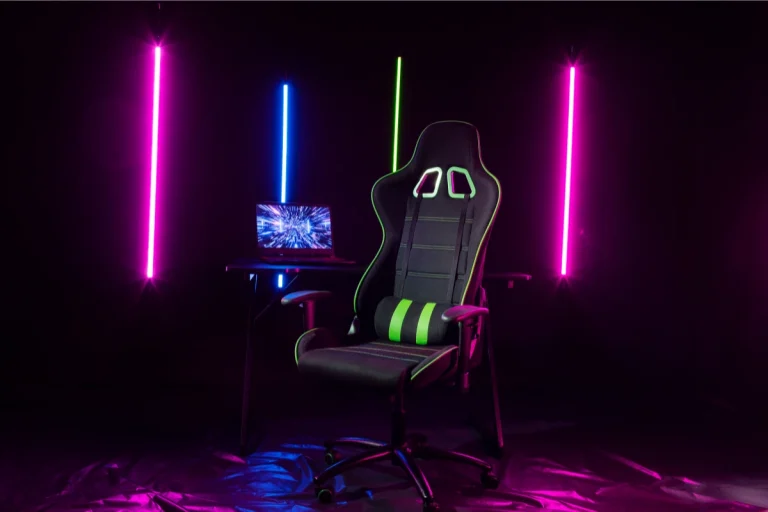
Racing-style chairs are the most popular option for gamers. These chairs are inspired by the design of car racing seats, with high backs and side bolsters to support your shoulders and spine. They provide a sporty feel and are highly adjustable, making them ideal for gamers who want maximum comfort and performance.
- Benefits: Offers excellent lumbar support, a reclinable backrest, and often includes additional features like adjustable armrests and headrests.
- Ideal For: Gamers who prefer a more aggressive, supportive design.
Office chairs with gaming features
Some gaming chairs are designed to look like office chairs but include added features specifically for gamers. These chairs are often more versatile, blending ergonomic support with aesthetics suited for gaming. Many feature adjustable lumbar support, padded armrests, and headrests.
- Benefits: Provides a professional look while offering great comfort and support.
- Ideal For: Gamers who want a chair that can also double as an office chair without compromising on comfort.
Rocking chairs
Rocking gaming chairs are designed for a more relaxed, casual gaming experience. These chairs are low to the ground and typically don’t have as much support as other types, but they offer excellent comfort for those who enjoy a laid-back gaming session. Rocker chairs are perfect for console gamers who enjoy gaming in front of a TV rather than a desk.
- Benefits: Offers comfort for shorter gaming sessions, providing a casual feel and encouraging movement.
- Ideal For: Console gamers or those with limited desk space.
Investing in the right gaming chair for you
The perfect gaming chair for your setup depends on several factors:
- Your budget: Gaming chairs can range from affordable to premium. While budget-friendly options still provide decent comfort, higher-end chairs often offer better build quality, additional features, and superior materials.
- Your space: Consider the space available in your gaming area. If you have a smaller room, a compact office chair or a rocking chair might be a better fit.
- Your gaming style: Whether you’re playing for hours at a time or just casually enjoying a few rounds, think about how much support and adjustability you need in your chair.
Ultimately, investing in a high-quality gaming chair that supports your body’s needs is one of the best decisions you can make for both comfort and performance.
For more in-depth details on how to choose the best gaming chair for comfort and performance, check out our dedicated guide on gaming chairs.
Section 3: Monitor arms – improve your setup’s ergonomics
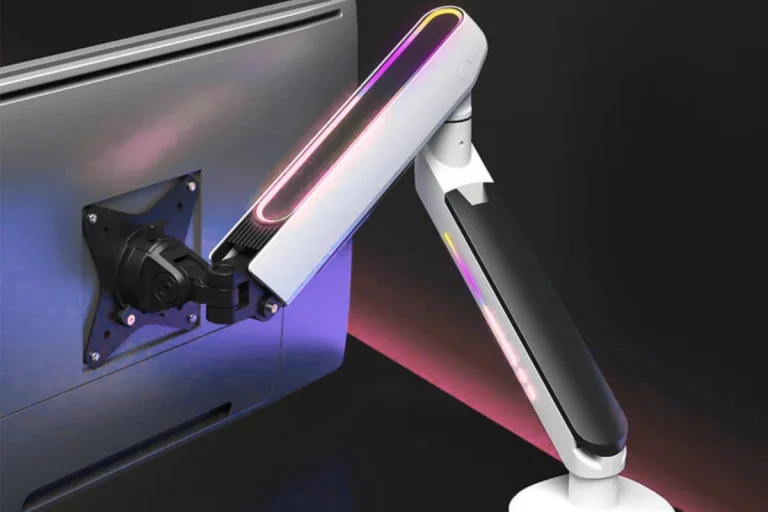
The position of your monitor is crucial for your comfort and performance. Whether you’re gaming, working, or streaming, your monitor’s placement affects your posture, eye strain, and overall gaming experience. For many, the solution lies in monitor arms, which provide flexible, ergonomic positioning and help free up desk space. Investing in a quality monitor arm is one of the easiest ways to optimize your setup for both comfort and performance.
Why monitor placement matters
Having your monitor at the wrong height or angle can lead to neck strain, back pain, and eye fatigue, all of which can severely affect your gaming performance. Poor monitor placement forces you to look down or stretch your neck uncomfortably, which can also cause distractions and make it harder to focus on your game.
For proper ergonomics, your eyes should be level with the top of the screen, and your monitor should be positioned at an arm’s length away from you. When these adjustments are made, your body is in a more neutral, relaxed position, which reduces strain on your neck, eyes, and back. A monitor arm can help you achieve this perfect setup by offering precise control over the height, angle, and distance of your screen.
The benefits of using a monitor arm
Monitor arms aren’t just for professionals—gamers can benefit from them just as much. Here’s how a monitor arm can improve your setup:
1. Improved ergonomics and comfort
The most obvious benefit of using a monitor arm is the ergonomic improvement. When you can easily adjust the height, tilt, and rotation of your monitor, you can fine-tune the screen’s position to reduce neck and back strain. Instead of being forced into awkward positions, you can keep your body relaxed and maintain better posture.
- Neutral position: With a monitor arm, your monitor can be positioned exactly where your eyes naturally fall, preventing you from hunching over or craning your neck.
- Reduced neck and eye strain: By aligning your monitor at eye level, you reduce the risk of straining your neck or eyes, especially during extended gaming or work sessions.
2. Increased desk space and organization
Another major advantage of using a monitor arm is the amount of desk space it frees up. By mounting your monitor off your desk, you can reclaim valuable space for other accessories or just keep your workspace neat and tidy. This is particularly important for smaller desks or minimalist setups where space is at a premium.
- Clutter-fee desk: With your monitor mounted, you have more room for your keyboard, mouse, speakers, or even decorative items like plants.
- Cable management: Many monitor arms come with built-in cable management systems, helping you keep your cables organized and out of sight, contributing to a cleaner and more professional setup.
3. Enhanced flexibility
A good monitor arm gives you the freedom to adjust your monitor to the perfect angle, whether you’re gaming, working, or watching movies. Some arms offer full rotation, which allows you to switch between landscape and portrait modes, while others allow you to tilt and swivel the screen to reduce glare.
- Customization: Whether you’re sitting, standing, or reclining, you can easily adjust your monitor to suit your position and comfort.
- Multiple monitor setups: For those with dual or multi-monitor setups, monitor arms provide independent adjustability for each screen, making it easier to align everything perfectly.
Types of monitor arms
There are several types of monitor arms available, each offering different features and capabilities. When choosing a monitor arm, it’s important to consider the type of setup you have and your specific needs.
1. Single monitor arms
Single monitor arms are designed to hold one monitor and allow full adjustability in terms of height, tilt, and rotation. These are ideal for those who use a single display for gaming, work, or general use.
- Best for: Gamers who prefer a single, large monitor for gaming or streaming.
- Advantages: Easier to install and generally more affordable than dual monitor setups.
2. Dual and multi-monitor arms
For gamers who use multiple screens, dual or multi-monitor arms are an excellent choice. These arms hold two or more monitors, allowing independent adjustments for each screen. They’re perfect for those who stream, game, or work across multiple displays.
- Best for: Streamers or gamers who need more screen space for multitasking or managing multiple programs at once.
- Advantages: Independent adjustments for each monitor, better ergonomics, and more desk space.
3. Freestanding monitor arms
Freestanding monitor arms are another option if you don’t want to drill holes into your desk to mount the arm. These arms are similar in functionality to mounted arms, but instead of being attached to the desk, they sit on the desk and have a base that supports the monitor.
- Best for: Renters or those who have desks that can’t support mounted arms (like glass or certain wood surfaces).
- Advantages: Easy to set up and portable, no need for drilling holes.
How to choose the right monitor arm
When selecting a monitor arm, there are a few factors to consider to ensure compatibility and maximize its effectiveness.
1. Monitor size and weight
Before purchasing a monitor arm, make sure it is compatible with the size and weight of your monitor. Each arm has a weight capacity, and exceeding that can affect the arm’s performance or even cause it to fail. Most arms support monitors between 17 and 32 inches, but always check the specifications to be sure.
- What to look for: Verify the VESA compatibility (the standard mounting pattern) and weight capacity of the arm to ensure it will support your monitor.
2. Adjustability range
Different monitor arms offer varying degrees of adjustability. Some allow only height adjustments, while others offer tilt, swivel, and rotation. The more adjustability options you have, the more control you’ll have over your monitor’s positioning.
- What to look for: Look for arms that offer at least height and tilt adjustment. If you need rotation or multi-monitor support, make sure the arm offers those features.
3. Desk space and mounting type
Consider the space available on your desk when choosing a monitor arm. Some arms require desk space for a mounting base, while others mount directly to the desk via a clamp or grommet. Make sure the arm you choose will fit comfortably with your desk’s layout.
- What to look For: If desk space is limited, opt for a clamp or grommet-mount arm that can be securely attached to the edge of your desk without taking up extra space.
Investing in a monitor arm
Choosing the right monitor arm can make a huge difference in the comfort, ergonomics, and efficiency of your gaming or work setup. Monitor arms allow you to adjust your monitor’s position for better posture, reduce neck and eye strain, and improve your overall gaming experience. They also help keep your workspace organized and free up desk space for other essentials.
For a more detailed look at how monitor arms can improve your gaming ergonomics, check out our full guide on monitor arms.
Section 4: Essential cables for your gaming setup
While much of the focus when building a gaming rig is on the hardware, one often overlooked element that can make or break your gaming experience is the cables. The right cables ensure that your devices connect efficiently and provide the best performance, from video output to data transfer. A poorly chosen or outdated cable can introduce latency, reduce image quality, or even cause instability in your system. This section focuses on the essential cables you need to optimize your gaming setup, ensuring that every component works in perfect harmony.
Why cables matter for gaming performance
Think of cables as the lifeline of your gaming setup. No matter how powerful your GPU or CPU is, if the cables you use don’t support the full potential of your hardware, you’re not getting the best experience. High-quality cables ensure fast, stable data transfer between components, supporting higher frame rates, smoother graphics, and more reliable connectivity.
For example, an HDMI cable that doesn’t meet the required specifications can limit your monitor’s resolution or frame rate, meaning you won’t get the full benefit of your 4K or 144Hz gaming monitor. Similarly, using an outdated USB cable can slow down data transfer from your peripherals, potentially reducing the performance of gaming mice, keyboards, or external drives.
Key types of cables every gamer needs
In a gaming setup, a variety of cables are required to connect everything from the console or PC to the monitor, peripherals, and internet connection. Here are the most essential cables you’ll need to ensure optimal performance:
1. HDMI cables
HDMI (High-Definition Multimedia Interface) cables are the go-to option for connecting your gaming console, PC, or other media devices to your monitor or TV. They carry both video and audio signals, making them a one-stop solution for high-definition content.
- Why they matter: HDMI cables are essential for transmitting high-quality video and audio, especially when gaming at high resolutions (1080p, 1440p, or 4K) or high refresh rates.
- What to look for: Choose an HDMI 2.0 or HDMI 2.1 cable for 4K gaming at 60Hz or 120Hz, and ensure that it supports high bandwidth for features like HDR (High Dynamic Range) and VRR (Variable Refresh Rate).
2. DisplayPort cables
DisplayPort is often the preferred connection for PC gamers due to its higher bandwidth, which allows for higher refresh rates and resolutions. If you’re running a high-performance gaming setup, DisplayPort cables provide superior image quality and faster frame rates compared to HDMI, especially for competitive gaming.
- Why they matter: DisplayPort supports higher resolutions (up to 8K), higher refresh rates (up to 240Hz or more), and is ideal for setups that require multiple monitors or high-performance graphics cards.
- What to look for: DisplayPort 1.4 is recommended for 1440p or 4K gaming at 144Hz or higher. For those looking to take advantage of 4K gaming at high frame rates, DisplayPort 2.0 is an even better option.
3. USB cables
USB cables connect your peripherals—such as your keyboard, mouse, and game controllers—to your PC or console. USB 3.0 and USB 3.1 cables provide faster data transfer speeds, which is important for gaming peripherals that need high-speed connections, like gaming mice and mechanical keyboards.
- Why they matter: USB cables ensure that your devices can communicate with your system without delays, which is critical for peripherals that require low latency, such as a gaming mouse or VR headset.
- What to look for: USB 3.0 or 3.1 cables are ideal for fast data transfer. For newer devices, USB-C offers even faster speeds and supports charging for devices like controllers or headsets.
4. Ethernet cables
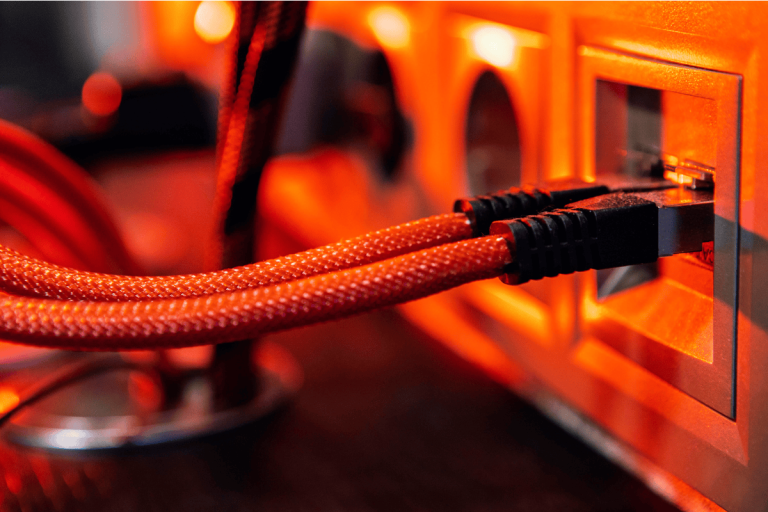
Although Wi-Fi is convenient, Ethernet cables are still the best option for online gaming. They provide a faster, more stable connection, ensuring low latency and reducing lag, which is essential for real-time online gaming, particularly in competitive scenarios.
- Why they matter: Ethernet connections provide a more stable and faster internet connection compared to Wi-Fi, resulting in lower ping times and smoother online gaming.
- What to look for: Cat 6 or Cat 7 Ethernet cables are recommended for high-speed gaming. These cables support speeds of up to 10Gbps, ensuring your connection can handle high-speed gaming and streaming without bottlenecks.
5. Audio cables
For those who use external speakers or gaming headsets, audio cables are crucial for delivering high-quality sound. The type of audio cable you choose will depend on whether you’re using headphones, a surround sound system, or even a gaming headset with a microphone.
- Why they matter: Audio cables provide the necessary connection to deliver clear, distortion-free sound, which is essential for immersion in gaming. For example, using the right 3.5mm jack or optical cable for your headphones ensures you get the full surround sound experience.
- What to look for: Choose cables that support high-quality audio formats like 7.1 surround sound. Optical cables are great for high-quality sound systems, while USB or 3.5mm cables are common for headsets.
6. Power cables
Every component in your gaming setup requires a reliable power source. Power cables connect your PC, monitor, console, and other peripherals to an outlet or power supply. While this may seem basic, using high-quality cables is essential to ensure safe and reliable power delivery.
- Why they matter: A reliable power cable ensures your devices stay powered without interruptions, and the right cable can prevent damage to sensitive equipment due to power surges or poor connections.
- What to look for: Always use the power cable provided by the manufacturer for each device. If you’re using an extension or replacement cable, ensure it meets the necessary voltage and current ratings for your devices.
How to organize and manage your cables
While the right cables are crucial, keeping them organized and out of the way can significantly improve the look and functionality of your gaming setup. Here are some tips for cable management:
- Cable ties: Use cable ties to bundle cables together and prevent them from tangling. Velcro ties are reusable and ideal for longer cables.
- Cable sleeves: For a sleek look, use cable sleeves to group cables together. This not only makes your setup look cleaner but also protects the cables from damage.
- Cable clips and hooks: These can be used to attach cables to the back of your desk, keeping them off the floor and neatly hidden.
- Cable trays: Mounting a cable tray under your desk is a great way to hide cables and keep your workspace tidy.
For further tips on optimizing your gaming experience, check out our guide on how monitor arms can improve your setup’s ergonomics to achieve the perfect, comfortable position for your monitor.
Section 5: Gaming cccessories for customization and aesthetics
While performance is undoubtedly the core of any gaming setup, aesthetics and customization can play an equally important role in elevating your experience. For many gamers, the gaming setup is not just a space to play—it’s a place to express personality and immerse oneself in an environment that reflects their style. The right accessories can enhance both the look and feel of your gaming rig, creating a visually appealing, personalized space that boosts your enjoyment.
The importance of personalization in gaming
A personalized gaming setup is about more than just flashy lights or a cool design. Customizing your space can improve your mood and immerse you further into the game. Whether it’s adding color, custom textures, or unique features, your setup can reflect who you are and make gaming feel even more special.
Moreover, a well-designed setup not only boosts aesthetics but can also contribute to better performance. For example, organizing your cables and having proper lighting can reduce distractions and help you maintain focus during gameplay. These small details enhance your comfort and enjoyment, making it easier to focus on the game without distractions or discomfort.
Customization through RGB lighting
RGB lighting has become synonymous with gaming culture, and for good reason. The ability to add color to your setup and customize lighting effects gives you full control over the atmosphere of your gaming environment. From ambient lighting to interactive effects, RGB can set the perfect mood for any gaming session.
RGB light strips
Light strips are one of the most popular and versatile ways to incorporate RGB lighting into your setup. These can be placed around your desk, behind your monitor, or along the edges of furniture to create a soft, colorful glow. Many RGB strips offer customizable settings via smartphone apps or remote controls, letting you adjust brightness, color, and effects to match your preferences or game mood.
- Benefits: Light strips can easily transform the entire look of your setup, adding depth and flair without taking up space. You can synchronize the lights to pulse in time with in-game events or music, making your space feel more immersive.
RGB keyboards and mice
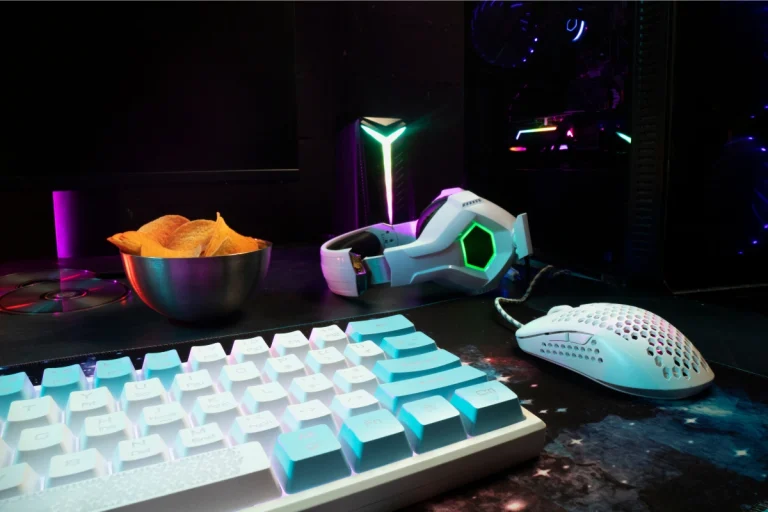
The keyboard and mouse are the two most used peripherals, so it’s no surprise that they’re also prime candidates for RGB customization. Many gaming keyboards and mice allow for per-key or per-button lighting, enabling you to create unique color schemes or dynamic effects that change as you type or click.
- Benefits: RGB keyboards and mice not only look great but can also improve your gaming performance by highlighting important keys or commands with custom lighting. This is particularly helpful for complex games that require multiple keybinds.
RGB fans and cases
For gamers looking to enhance the aesthetic of their entire rig, RGB fans and cases are an excellent choice. These fans not only help with cooling but also add a stunning visual element to your setup. You can even find cases with built-in RGB lighting, creating a full lighting display with minimal effort.
- Benefits: Besides improving airflow, RGB fans and cases give your PC a futuristic and high-tech look. If you enjoy customizing the look of your rig, this is an easy and effective way to bring some flair to your system.
Custom skins and decals for your gear
Custom skins and decals are another great way to personalize your gaming setup. Whether it’s your console, PC, or peripherals, custom skins and stickers allow you to reflect your gaming interests, favorite characters, or personal style.
Console skins
If you’re a console gamer, skins are a fun and easy way to give your console a unique look. Whether it’s a PlayStation, Xbox, or Nintendo Switch, console skins come in various designs, from simple, sleek looks to more detailed designs featuring your favorite games or franchises.
- Benefits: Custom skins protect your console from scratches while allowing you to show off your personality. Many high-quality skins are easy to apply and remove, leaving no sticky residue behind.
Keyboard and mouse skins
For an added layer of customization, consider adding a skin to your keyboard or mouse. These skins can change the texture and look of your peripherals, giving them a more personalized feel. Additionally, some skins offer improved grip or comfort, which can be especially useful during long gaming sessions.
- Benefits: These skins offer a functional and aesthetic upgrade, allowing you to change the look of your gear while improving the tactile feel.
Stickers and decals for PC cases and monitors
One of the easiest ways to customize your setup is by adding stickers or decals to your gear. Whether it’s on your monitor, PC case, or other accessories, decals are a simple way to express your interests and style. You can find stickers that represent your favorite games, characters, or even abstract designs that give your setup a unique vibe.
- Benefits: Decals are inexpensive, easy to apply, and easy to remove, making them perfect for gamers who want to change their setup often. Plus, they offer a quick, affordable way to make your setup feel truly yours.
Gaming furniture and desk accessories
While the focus is often on the technology in your gaming setup, the furniture surrounding it can have a big impact on both aesthetics and functionality. A well-organized desk and comfortable seating can improve your gaming experience and create a space that feels cohesive and inviting.
Gaming desks
A gaming desk is more than just a surface to place your gear. Modern gaming desks are designed with functionality and aesthetics in mind, featuring cable management solutions, spacious surfaces, and ergonomic designs to keep you comfortable during long gaming sessions.
- Benefits: A gaming desk provides ample space for all your gear while keeping everything organized and accessible. Many desks also come with built-in lighting, cup holders, or charging ports for added convenience.
Gaming chairs
Investing in a quality gaming chair is essential for comfort, but it also adds to the aesthetic of your setup. From sleek, racing-style designs to more subtle office-chair-inspired models, gaming chairs come in various styles that can match your setup’s look.
- Benefits: A well-designed chair not only enhances the look of your space but also provides proper support for long gaming sessions, preventing discomfort and promoting better posture.
Monitor stands
If you’re looking to save space and improve the ergonomics of your setup, consider adding a monitor stand. These accessories elevate your screen to eye level, which reduces neck strain and makes it easier to focus on the game. Some monitor stands also feature additional storage or cable management, helping you organize your space.
- Benefits: Monitor stands optimize your desk space and promote healthier sitting posture, while also giving your setup a cleaner, more organized appearance.
Final touches: Wall art and posters
Once you’ve customized the main elements of your gaming rig, consider adding wall art or posters to complete the aesthetic. Whether it’s gaming-themed posters, abstract art, or 3D wall decals, wall décor can tie your space together and reflect your personal interests.
- Benefits: Wall art and posters create a more immersive atmosphere and make your gaming space feel like a true escape. They can be easily swapped out to keep the space fresh and interesting.
For more tips on how to enhance your comfort and performance with the right gaming chair, check out our detailed guide on the importance of proper seating in gaming.
Section 6: Gaming accessories and the best ways to optimize performance
Building a high-performance gaming setup is more than just choosing the right PC components, monitor, or gaming chair. It’s about ensuring that every piece of your setup works together to provide the best experience possible. This is where accessories designed to optimize performance come in. Whether you’re focused on cooling your rig to prevent overheating, ensuring smooth control with precision peripherals, or managing network performance to reduce lag, optimizing your gaming accessories is key to unlocking the full potential of your setup.
Why performance optimization is essential
In the fast-paced world of gaming, milliseconds can make all the difference. From reducing latency to ensuring stable frame rates, every element of your gaming setup plays a role in your performance. Even the most powerful gaming PC or console can underperform if it’s not paired with the right accessories. For instance, a high-end gaming monitor will be wasted if you’re using a slow HDMI cable that can’t keep up with its refresh rate.
Furthermore, as gaming systems become increasingly powerful, the need for optimized cooling and connectivity grows. Performance bottlenecks caused by inadequate cooling, high latency, or poor peripheral choices can ruin the gaming experience, causing lag, screen tearing, and discomfort. By integrating accessories that enhance the performance of each element of your setup, you create an environment where your system and gameplay can shine.
Key accessories for optimizing performance
To ensure your gaming rig performs at its best, a few accessories are absolutely essential. Here are the most important ones to consider:
1. Cooling systems: Preventing overheating
As discussed earlier, cooling systems are vital to maintaining the longevity and performance of your gaming PC or console. During intense gaming sessions, your CPU and GPU can generate a lot of heat. Without proper cooling, your system could experience throttling or crashes, resulting in poor performance.
- Water cooling vs. Air cooling: Depending on your needs, you might choose a water cooling system for higher performance or an air cooling solution for a more affordable and low-maintenance option. Either way, ensuring that your components stay cool will prevent overheating and maintain stable performance, especially during long gaming sessions.
- AIO coolers: For those who want a hassle-free setup, an All-In-One (AIO) liquid cooler is an excellent choice. These coolers combine the benefits of water cooling with the simplicity of air cooling and can fit into most cases, offering efficient cooling without the complexity of custom loops.
For more on choosing the best cooling system for your setup, refer to our guide on water cooling systems and air cooling options.
2. Gaming peripherals: Precision and control
Precision peripherals are a must for gamers who want to perform at their best. Whether you’re playing fast-paced FPS games or intricate RPGs, having responsive, customizable peripherals gives you the control you need to succeed.
- Gaming mouse: A high-quality gaming mouse can make a huge difference in your gameplay, offering adjustable DPI (dots per inch), customizable buttons, and lower latency. This is essential for both competitive and casual gamers who need precise and fast control over their in-game actions.
- Gaming keyboard: Mechanical keyboards are often preferred for gaming due to their quick response times and tactile feedback. Many gaming keyboards feature programmable keys, RGB lighting, and additional features like macro support, all of which can optimize your gaming experience by making it more responsive and comfortable.
- Headsets: A gaming headset with high-quality sound and a good microphone can significantly enhance your experience. Sound is crucial for immersion and for hearing in-game cues, while a clear microphone ensures you can communicate effectively with teammates during multiplayer games.
By investing in high-quality gaming peripherals, you improve your reaction times and precision, which is critical for success in competitive games.
3. Graphics card optimization: Enhancing visual performance
The GPU is the backbone of your gaming system when it comes to visual performance. The graphics card not only powers the visuals but also handles tasks such as ray tracing, resolution scaling, and frame rate stability. A top-tier graphics card ensures you can run the latest games at high settings without a hitch.
- Graphics card cooling: Just like the CPU, your GPU can overheat under heavy load. Many gamers use additional cooling solutions such as external GPU fans or thermal pads to ensure their graphics card stays cool and performs optimally.
- Upgrading your GPU: If you’re experiencing slow performance or lower frame rates despite having a capable gaming PC, it might be time to upgrade your graphics card. A more powerful GPU can significantly boost gaming performance, especially for graphically demanding games or higher resolution gaming (e.g., 1440p or 4K).
For more information on how to maximize graphics card performance, take a look at our detailed guide on optimizing your GPU for gaming.
4. Network optimization: Ensuring low-latency gaming
When playing online, latency is one of the most important factors that can impact your experience. Lag, connection drops, or slow speeds can ruin your gameplay and put you at a disadvantage, especially in competitive online games.
- Ethernet vs. Wi-Fi: While Wi-Fi is convenient, an Ethernet connection offers a much more stable and faster connection, reducing ping and lag. Using a wired connection ensures that your data travels more quickly, resulting in smoother gameplay.
- Gaming routers: A gaming-specific router is designed to prioritize gaming traffic, reducing lag and packet loss during gameplay. These routers typically come with features like Quality of Service (QoS) settings, which allow you to give higher priority to your gaming devices over other devices on the network, further enhancing your gaming performance.
If you’re serious about online gaming, upgrading your network connection and investing in a high-performance gaming router will significantly reduce latency and improve your overall online experience.
5. Monitor optimization: Enhancing visual clarity and responsiveness
Your gaming monitor is the final piece in the performance puzzle. A high-quality monitor ensures that you can fully appreciate your graphics card’s performance, while also providing smooth, tear-free gameplay.
- Refresh rate and resolution: For fast-paced gaming, look for a monitor with a high refresh rate (144Hz or higher). This ensures smooth motion and minimizes screen tearing. A higher resolution, such as 1440p or 4K, offers sharper, more detailed visuals that make gaming more immersive.
- G-Sync/FreeSync: These technologies help synchronize your monitor’s refresh rate with your GPU’s frame rate, eliminating screen tearing and stuttering, resulting in smoother gameplay. G-Sync is ideal for NVIDIA GPUs, while FreeSync is designed for AMD cards.
For more details on choosing the best monitor for your gaming needs, check out our guide on monitor arms and how they can improve your ergonomics and gaming setup.
For further tips on enhancing network stability for online gaming, check out our guide on essential cables and how they affect your gaming performance.
Creating the ultimate gaming setup is about more than just choosing powerful components—it’s about optimizing every aspect of your system to enhance your gaming experience. From cooling systems that maintain your hardware’s performance under pressure to ergonomic chairs and monitor arms that improve your comfort, each accessory plays a crucial role in creating a seamless, immersive environment. Additionally, investing in high-quality cables, peripherals, and network solutions ensures that your gear communicates effectively, delivering the performance you expect.
Performance and comfort should go hand in hand in any gaming setup. Comfort is essential for long sessions, but performance is equally important, especially in competitive gaming. By integrating accessories designed for both comfort and performance optimization, you’re not only enhancing your immediate gameplay but also ensuring your setup remains functional and enjoyable for years to come.
Whether you’re adjusting your monitor’s position with a flexible arm, investing in a custom water cooling solution, or adding some RGB lighting for style, each small upgrade builds toward a better, more efficient gaming environment. Customizing your setup with the right accessories allows you to tailor your space to your needs and preferences, turning your gaming rig into something more than just hardware—it becomes a place where you can truly enjoy the best gaming experience possible.
For even more insights into how accessories like gaming chairs and cooling systems can elevate your setup, dive deeper into the guides dedicated to these topics. Whether you’re a casual gamer or a competitive player, optimizing your gaming space can significantly enhance your overall experience.