

When it comes to setting up the perfect gaming rig, cables are one of the most essential yet often overlooked aspects. The right cables ensure that your devices communicate with each other efficiently, delivering the high-quality performance you need for gaming, streaming, or any other heavy-duty tasks. Without the proper cables, even the best gaming hardware can underperform or become unreliable. In this guide, we’ll explore the essential cables every gamer should have for their setup, what to look for in quality cables, and how to organize them for a clean and functional workspace.
For more tips on how to optimize your gaming experience with the right accessories, don’t forget to check out the main guide on gaming accessories.
1. Why quality cables matter
Good-quality cables are crucial to ensuring that your setup functions optimally. Low-quality or incompatible cables can lead to poor performance, signal loss, or even device damage. Here’s why quality cables matter:
1. Signal integrity
For video and audio cables, the quality of the cable directly affects the signal. Poor-quality HDMI or DisplayPort cables can cause screen flickering, reduced resolution, or color issues. The same goes for audio cables — a bad connection can result in sound distortion, affecting your overall gaming experience.
2. Performance and speed
When it comes to gaming, performance is everything. Low-quality or outdated cables can limit the speed and resolution of your monitor, slow down data transfer between your devices, or even cause lag in online games. With faster, higher-quality cables, you can ensure that your system is capable of delivering the best possible performance.
3. Reliability
Reliable cables are crucial for avoiding interruptions during gaming sessions. A frayed or damaged cable can lead to disconnections, screen blackouts, or poor connectivity. Choosing durable cables ensures that you’ll have consistent and uninterrupted gaming experiences.
2. Types of cables every gamer needs
Now that we know why cables matter, let’s go over the key types of cables you’ll need for your gaming setup. Each type serves a specific function, and understanding what each one does will help you make the right choice when building or upgrading your gaming rig.
1. HDMI cables
HDMI (High-Definition Multimedia Interface) cables are the go-to for connecting your gaming console, PC, or other media devices to your monitor or TV. These cables are responsible for transmitting both high-definition video and audio signals. Whether you’re gaming on a 1080p, 1440p, or 4K display, the right HDMI cable ensures you get the best possible picture and sound.
- What to look for: Look for HDMI cables with the latest standards like HDMI 2.0 or HDMI 2.1 for 4K gaming at high frame rates. HDMI 2.1 supports higher bandwidth and features like Variable Refresh Rate (VRR) and Auto Low Latency Mode (ALLM), which are ideal for gaming.
2. Displayport cables
DisplayPort is another popular video connection, especially for PC gamers. It supports high refresh rates, resolutions, and multiple monitors. While HDMI is more common in consoles and TVs, DisplayPort is often favored for PC gaming because of its higher bandwidth and support for features like G-SYNC or FreeSync.
- What to look for: DisplayPort 1.4 is the standard for gaming setups, offering support for 4K gaming at 120Hz and 1440p at 144Hz. If you’re going for a triple monitor setup or need support for higher resolutions, DisplayPort is the way to go.
3. USB cables
USB cables are essential for connecting peripherals like your keyboard, mouse, headset, and gaming controllers. USB 3.0 and USB 3.1 cables provide faster data transfer speeds, making them ideal for gaming accessories that require high bandwidth, such as gaming mice with extra buttons or mechanical keyboards.
- What to look for: USB 3.0 or 3.1 cables provide faster speeds than USB 2.0 cables, which is critical for devices that require high-speed data transfer. Also, USB-C is becoming more common for high-end peripherals, offering even faster charging and data speeds.
4. Ethernet cables
While Wi-Fi is convenient, an Ethernet cable is still the best choice for gamers who prioritize stability and speed. A wired connection provides lower latency, faster speeds, and more reliable performance, which is critical for online gaming and streaming.
- What to look for: Cat 6 or Cat 7 Ethernet cables offer faster speeds and better shielding from interference than older Cat 5 cables. If you’re gaming in a high-speed network environment or using 4K streaming, investing in these cables ensures you’ll get the best performance.
5. Power cables
Your gaming system needs a constant and reliable power source. Power cables for your PC, console, monitor, and other peripherals are often overlooked, but they’re just as crucial as the data cables. A high-quality power cable ensures that your system runs smoothly without interruptions.
- What to look for: Ensure that your power cables are compatible with your devices and can handle the necessary wattage. For gaming PCs, power cables must be able to handle the demands of high-performance components like graphics cards and processors.
6. Audio cables
For those who use external speakers or gaming headsets, audio cables are crucial for delivering clear, high-quality sound. Depending on your setup, you might need 3.5mm jack cables, optical cables, or USB audio cables.
- What to look for: If you’re using a headset, make sure the cable is long enough for comfort. For speakers, ensure the cable is high-quality to avoid signal degradation, especially for surround sound systems.
3. Cable organization tips
As your gaming setup grows, so do your cables. A messy tangle of wires not only looks unprofessional but can also affect performance if cables are bent or stretched too much. Here are some tips for organizing your cables:
1. Use cable ties
Cable ties are a simple yet effective solution for keeping your cables neat and organized. Group cables together based on their function (e.g., power cables, data cables) to keep things tidy.
2. Cable sleeves
Cable sleeves are a great way to bundle multiple cables together and reduce clutter. They also add a sleek, clean look to your setup while protecting cables from wear and tear.
3. Cable management clips
Cable management clips can be attached to your desk, wall, or the back of your monitor to keep cables from falling behind or getting tangled. These clips are especially useful for organizing cables that don’t have much slack.
4. Cable trays
Under-desk cable trays are ideal for storing cables out of sight. You can mount them underneath your desk to keep all of your cables organized and off the floor.
5. Velcro straps
Velcro straps are reusable and great for organizing cables that don’t need to be permanently secured. They can be used to bundle cables together or to keep them neatly coiled.
4. Choosing the right cables for your budget
Quality cables don’t have to break the bank, but it’s essential to choose the right ones based on your needs. If you’re on a budget, there are affordable options available that still provide great performance. However, if you’re looking for the highest-quality performance, it’s worth investing in cables that support the latest standards, like HDMI 2.1 or Cat 7 Ethernet.
- Mid-range options: Brands like Anker, Aukey, and Cable Matters offer affordable yet reliable cables for gaming setups.
- Premium cables: For those who want the best quality, Monster, Belkin, and AudioQuest offer high-end cables with advanced features and longer durability.
Cables are the unsung heroes of your gaming setup. Without the right cables, your gaming system won’t perform at its best. From HDMI cables for crisp visuals to Ethernet cables for stable connections, each type of cable plays a vital role in ensuring that your hardware operates smoothly. Investing in high-quality cables and keeping them organized will help you get the most out of your setup.
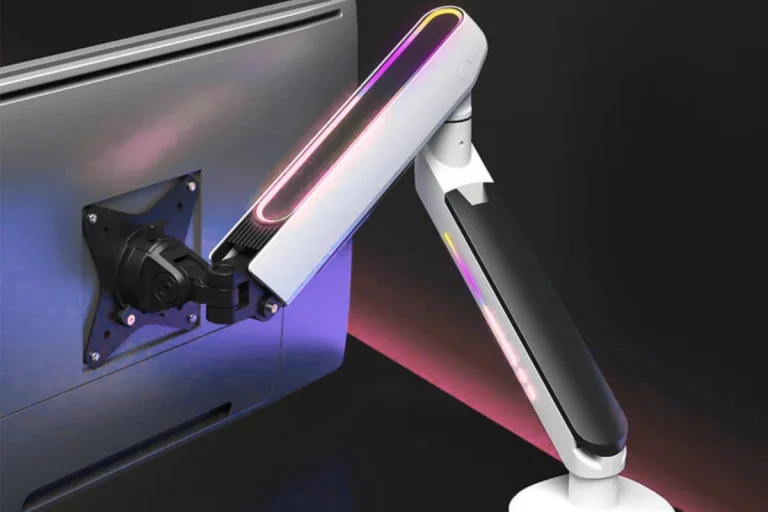
For a deeper look at how to enhance your setup with other essential accessories like gaming chairs or monitor arms, be sure to check out the next guide on gaming accessories for aesthetics and customization.