

Pre-built gaming systems offer plug-and-play convenience for gamers who value their time or prefer avoiding the technical challenges of component selection and assembly. Major manufacturers invest heavily in system integration, quality control and customer support to deliver reliable gaming experiences from day one. This guide examines what differentiates leading pre-built brands, analyzes pricing structures compared to building your own custom gaming PC and highlights critical factors to evaluate before making your purchase decision.
I’ve tested dozens of pre-built systems over the years from budget models to premium rigs. The market has improved significantly with better component choices and more competitive pricing than what we saw five years ago. Understanding what you’re actually getting for your money makes all the difference between satisfaction and buyer’s remorse.
Major Pre-Built Gaming PC Brands Compared
Several manufacturers dominate the pre-built gaming PC market. Each brand targets different buyer segments with distinct approaches to design, pricing and support. Alienware remains the premium choice owned by Dell. Their systems feature unique industrial designs and robust build quality but command premium pricing. Alienware excels in warranty support and system integration though you pay extra for the brand name.
Asus ROG (Republic of Gamers) offers extensive pre-built options ranging from compact systems to full towers. Their Strix and Huracan lines balance performance with reasonable pricing. Asus includes proprietary software for system monitoring and RGB control. Build quality stays consistently high across their product range. The main drawback involves occasional use of proprietary components that limit upgrade flexibility.
MSI entered the pre-built market aggressively with competitive pricing on their Aegis and Trident series. These systems often undercut competitors while maintaining solid specifications. MSI leverages their component manufacturing expertise to create well-integrated systems. Their compact designs appeal to space-conscious gamers though thermal performance sometimes suffers in the smallest models.
HP Omen and Acer Predator target the value segment with aggressive pricing during sales events. These brands provide decent gaming performance at lower price points. Component quality varies more than premium brands with some cost-cutting evident in power supplies and cooling solutions. They work well as starter gaming PCs but may require component upgrades sooner than higher-tier options.
Smaller custom builders like CyberPowerPC, iBuyPower and EaglGame bridge the gap between major manufacturers and full DIY building. These companies offer extensive customization options letting you select specific components while they handle assembly. Pricing typically beats major brands while maintaining quality. The trade-off involves less polished system integration and potentially longer build times.
Pre-Built Brand Positioning
Alienware
Premium
Asus ROG
High-End
MSI
Mid-Range
HP/Acer
Value
Brand positioning by typical price point and target market
Understanding Pre-Built Pricing and Value
Pre-built gaming PCs typically cost 10-20% more than equivalent custom builds during normal market conditions. This premium covers assembly labor, warranty administration and manufacturer profit margins. However, the gap narrows or reverses during component shortages when manufacturers secure better GPU allocation than individual buyers.
Holiday sales transform pre-built value propositions. Black Friday and Cyber Monday deals sometimes price pre-builts below custom build costs. Manufacturers clear inventory aggressively before new component launches. I’ve seen systems with RTX 4070 GPUs drop $300-400 during major sales making them genuinely competitive with DIY building.
Hidden costs affect total ownership beyond sticker price. Pre-builts include Windows licensing and professional cable management. Many bundle gaming peripherals or software subscriptions. Calculate these additions when comparing against custom build estimates. A $100 keyboard and mouse bundle adds real value if you need those items anyway.
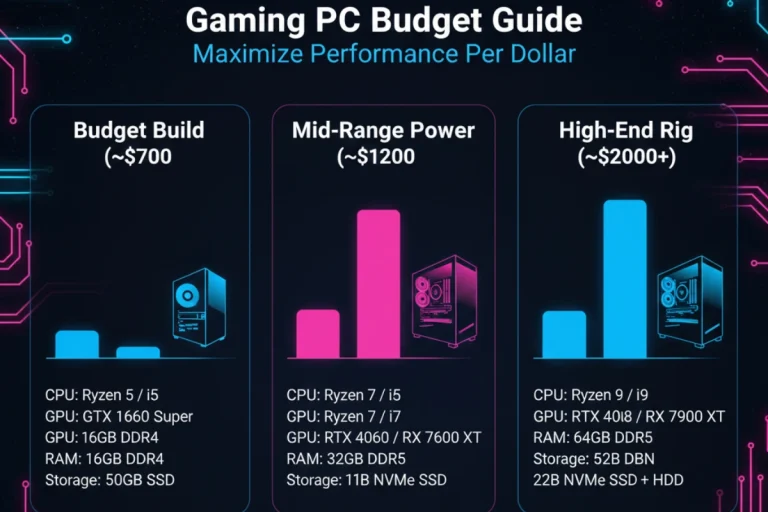
Budget Tier ($700-1000): Expect entry-level GPUs like RTX 4060 or RX 7600, 6-core processors and 16GB RAM. Adequate for 1080p gaming at medium-high settings. Component quality varies significantly in this range.
Mid-Range ($1200-1800): Features RTX 4070 class GPUs, current-gen processors and quality components. Handles 1440p gaming excellently with good upgrade potential. Best value for most serious gamers.
High-End ($2000-3500): Top-tier GPUs, premium processors, extensive RGB and liquid cooling. Targets 4K gaming and content creation. Diminishing returns set in at the upper end of this bracket.
Warranty Coverage and Support Considerations
Comprehensive warranty coverage represents a major pre-built advantage. Most manufacturers provide 1-3 year system warranties covering all components through a single support channel. This eliminates the headache of diagnosing which component failed and dealing with multiple RMA processes that plague custom builders.
Warranty quality varies dramatically between brands. Alienware and Asus offer premium support with phone and chat options plus expedited replacement parts. Budget brands often rely on email-only support with slower response times. Read warranty terms carefully regarding what’s covered and for how long. Some warranties only cover parts while charging labor fees for repairs.
Extended warranty options cost extra but provide peace of mind for expensive systems. Evaluate whether extended coverage makes sense based on system cost and your technical comfort level. A $2000 pre-built justifies extended warranty consideration more than a $800 budget system you could replace affordably.
| Brand | Base Warranty | Support Quality | Upgrade Flexibility | Price Premium |
|---|---|---|---|---|
| Alienware | 1 year | Excellent | Limited (proprietary) | High (+25-35%) |
| Asus ROG | 1-2 years | Very Good | Good | Moderate (+15-25%) |
| MSI | 1 year | Good | Good | Low (+10-15%) |
| HP Omen | 1 year | Average | Moderate | Low (+5-10%) |
| Custom Builders | 1-3 years | Varies | Excellent | Very Low (+5-10%) |
What to Check Before Buying a Pre-Built
Scrutinize exact component specifications before purchasing any pre-built system. Marketing materials emphasize CPU and GPU while obscuring other parts. Many pre-builts cut costs on power supplies, motherboards and RAM that affect long-term reliability and upgrade potential.
Power supply quality matters tremendously. Budget pre-builts often include generic PSUs that barely meet minimum wattage requirements. Ask about specific PSU models and brands. A quality 650W unit from Corsair or Seasonic costs manufacturers $20-30 more than a generic 500W unit but dramatically improves system stability and upgrade headroom.
RAM speed and configuration impact performance more than manufacturers admit. Some pre-builts use single-channel memory instead of dual-channel cutting memory bandwidth in half. Verify RAM speed matches your CPU’s capabilities. DDR4-2666 paired with a modern processor leaves performance on the table compared to DDR4-3200 or faster.
Storage configuration deserves attention especially at budget price points. Entry-level systems sometimes include only 500GB SSDs forcing immediate storage upgrades. Verify SSD type as SATA drives cost less than NVMe but load games slower. Check whether motherboards include additional M.2 slots for future storage expansion.
Pre-Built Purchase Checklist
- Verify exact GPU model (not just series)
- Check power supply brand and wattage
- Confirm RAM configuration (dual-channel, speed)
- Verify storage type (NVMe vs SATA)
- Check motherboard chipset and upgrade support
- Read warranty terms and coverage duration
- Research customer support reputation
- Compare pricing against custom build equivalent
- Verify case airflow and cooling solution
- Check for bloatware and included software
Pre-Built Upgrade Potential and Limitations
Future upgrade flexibility varies significantly between pre-built manufacturers. Standard components from companies like MSI and custom builders allow straightforward upgrades using off-the-shelf parts. Proprietary designs from Alienware or compact systems like HP Pavilion Gaming impose restrictions on GPU sizes, cooling solutions and power supply replacements.
Case size determines GPU upgrade options. Compact pre-builts may only accommodate dual-slot graphics cards while full towers handle massive triple-slot GPUs. Measure available clearance and compare against specifications for GPUs you might want in 2-3 years. A case that barely fits your current GPU likely won’t accommodate future upgrades.
Motherboard specifications determine CPU upgrade paths. Verify whether the board supports multiple CPU generations or locks you into the installed processor. Check available PCIe slots for adding capture cards, sound cards or additional storage. Some pre-builts use boards with minimal expansion options saving manufacturers money but limiting your flexibility.
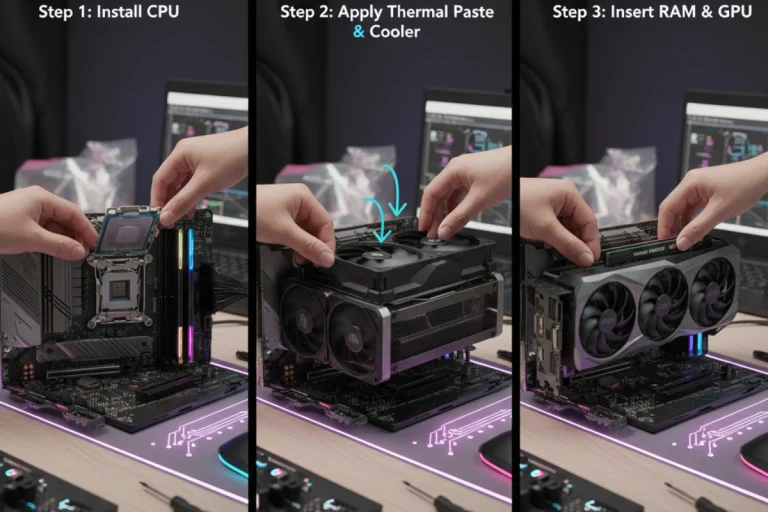
Pre-built systems provide excellent value for gamers wanting immediate gaming capability without assembly complexity. However, understanding specifications and making informed brand choices separates smart purchases from expensive mistakes. Once you’ve decided whether pre-built suits your needs, learning the actual assembly process helps you appreciate what you’re paying for or gives you confidence to tackle it yourself. Discover how to build a gaming PC step-by-step with our complete assembly tutorial covering everything from CPU installation to cable management.