
Mechanical keyboards
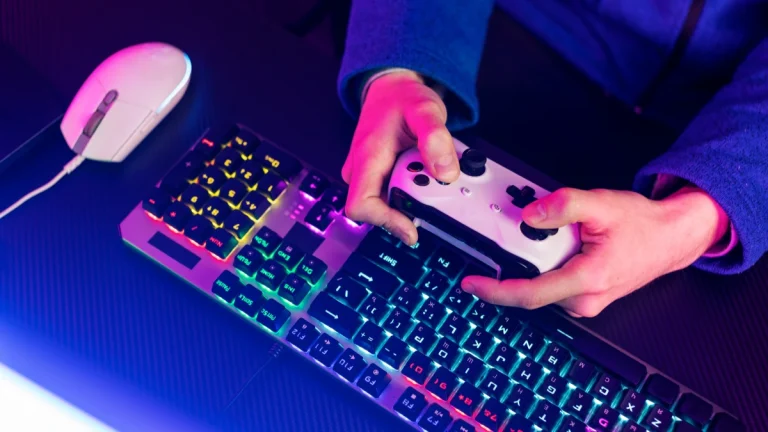
Mechanical keyboards revolutionize gaming input through individual switches beneath each keycap, replacing membrane domes with precise mechanisms that register keypresses faster and last millions of actuations longer. Cherry MX switches pioneered the mechanical revolution, with variants serving different preferences—linear switches offer smooth key travel ideal for rapid tapping, tactile options provide feedback bumps confirming actuation, while clicky switches satisfy typing enthusiasts with audible confirmation. Modern mechanical keyboards combine responsive switches with programmable RGB lighting, hot-swappable sockets enabling switch customization, and compact layouts maximizing desk space for mouse movement. Selecting the right keyboard requires understanding how switch characteristics, build quality, and form factors influence both gaming performance and typing satisfaction across your complete hardware ecosystem.
Mechanical gaming keyboards: switch types & performance
I remember my first mechanical keyboard back in 2005. The click-clack sound drove my roommate crazy but the feeling under my fingers made returning to rubber dome keyboards impossible. That keyboard lasted eight years of daily abuse before a single key finally died. Compare that to membrane keyboards I replaced annually and the value became obvious despite higher upfront costs.
Mechanical keyboards for gaming evolved dramatically since those early days. Modern switches offer variations I never imagined possible when Cherry MX dominated the entire market. Hot-swappable designs let you experiment with different switch types without soldering skills or permanent commitments. Software customization extends beyond simple key remapping into complex macro programming and per-key RGB control. Understanding these advancements helps you navigate overwhelming options to find keyboards matching your specific gaming needs and typing preferences within your broader <a href= »gaming-peripherals-guide.html »>gaming peripherals</a> collection.
Switch categories and characteristics
Mechanical switches fall into three primary categories that define typing feel and sound signature. Linear switches move smoothly from top to bottom without tactile bumps or audible clicks. They became gaming standards because smooth travel enables rapid key tapping without resistance interrupting finger movement. Cherry MX Reds and Gateron Yellows represent popular linear options delivering consistent keystroke feel across millions of actuations.
Tactile switches provide noticeable bumps at actuation points confirming keypresses through physical feedback. This bump helps prevent accidental key presses while providing satisfying confirmation without loud clicking sounds. Cherry MX Browns became office-friendly gaming switches balancing performance with noise considerations. Modern tactile options like Glorious Pandas and Gazzew Boba U4T offer more pronounced bumps satisfying enthusiasts seeking stronger feedback.
Clicky switches combine tactile bumps with audible click mechanisms creating the classic mechanical keyboard sound signature. Cherry MX Blues dominated this category for years delivering satisfying typing experiences that annoyed everyone within earshot. These switches suit solo gaming environments where noise doesn’t disturb others. Kailh Box switches introduced click bar mechanisms providing crisper sounds than traditional click jackets found in Cherry designs.
Switch Comparison Table:
| Switch type | Actuation force | Travel distance | Sound level | Best for |
| Cherry MX Red | 45g | 4.0mm (2.0mm actuation) | Quiet | FPS gaming and rapid inputs |
| Gateron Yellow | 50g | 4.0mm (2.0mm actuation) | Quiet | Budget gaming builds |
| Cherry MX Brown | 55g | 4.0mm (2.0mm actuation) | Moderate | Mixed gaming and typing |
| Glorious Panda | 67g | 4.0mm (2.0mm actuation) | Moderate | Tactile enthusiasts |
| Cherry MX Blue | 50g | 4.0mm (2.2mm actuation) | Loud | Typing and single-player gaming |
| Kailh Box White | 50g | 3.6mm (1.8mm actuation) | Loud | Clicky lovers wanting crisp sound |
Actuation force and speed considerations
Actuation force determines how much pressure triggers keypresses. Light 45g switches reduce finger fatigue during marathon gaming sessions enabling faster key spamming in games requiring rapid repeated inputs. My fingers appreciated switching to lighter switches after years of 60g options caused strain during intense competitive matches lasting hours.
Heavier switches around 60 to 70g prevent accidental key presses for players who rest fingers on WASD keys between movements. The added resistance provides tactile confidence that intended keypresses register while casual touches don’t trigger unwanted actions. Touch typists often prefer heavier switches preventing floating fingers from accidentally activating keys during hand repositioning.
Speed switches feature shortened actuation points around 1.2 to 1.5mm compared to standard 2.0mm distances. Cherry MX Speed Silver switches register keypresses earlier in travel reducing reaction time by mere milliseconds. These differences matter more in theory than practice for most players since neural reaction times dwarf mechanical advantages. Professional esports athletes might benefit but average gamers won’t notice performance improvements justifying speed switch premiums.
Keyboard layout and form factors
Full-size 104-key keyboards include complete number pads alongside standard typing sections. They suit players who use numeric input frequently or prefer familiar layouts matching keyboards used for decades. The added width consumes desk space reducing room for mouse movement during low sensitivity gaming where arm aiming requires large sweeping motions across extended mousepads.
Tenkeyless designs eliminate number pads while retaining arrow keys and function rows in 87-key layouts. TKL keyboards became gaming standards because compact sizes provide more mouse space without sacrificing essential keys most games require. I switched to TKL formats years ago and never missed the numpad despite initial concerns about losing numeric input for certain productivity tasks.
Compact 60% and 65% layouts maximize desk space by removing or layering function keys and arrow clusters behind secondary functions accessed through modifier combinations. These minimalist designs appeal to players prioritizing mouse space and clean aesthetics. The learning curve for accessing hidden functions through key combinations prevents mainstream adoption but enthusiasts embrace the efficiency once muscle memory develops.
Build quality and materials
Keyboard construction quality separates temporary purchases from decade-long investments. Aluminum or steel mounting plates provide rigid foundations eliminating flex during aggressive typing or gaming. Plastic cases found on budget keyboards often creak under pressure or develop stress cracks around screw posts after years of temperature cycling and physical stress.
Keycap material dramatically affects durability and texture retention. ABS plastic found on most keyboards develops shiny wear patterns within months as finger oils degrade surface texture. PBT plastic maintains original texture through years of use resisting the shine that makes used ABS keycaps look worn and cheap. Double-shot molded keycaps embed legends through two-layer plastic construction ensuring characters never fade compared to pad-printed or laser-etched alternatives that wear away gradually.
Premium keyboards use brass or stainless steel weight inserts adding mass that prevents keyboard movement during intense gaming. The added heft feels substantial and expensive compared to lightweight plastic boards that slide across desks during use. Detachable USB cables simplify replacement if connectors fail and enable cable customization with coiled or color-matched alternatives.
Hot-swappable socket innovation
Hot-swappable sockets revolutionized mechanical keyboards by allowing switch replacement without soldering skills or specialized equipment. Pull broken switches and insert replacements in seconds rather than hours spent desoldering and resoldering traditional keyboards. This feature transforms keyboards from permanent purchases into evolving platforms you customize as preferences change or new switch technologies emerge.
Experimenting with different switch types becomes affordable when you buy small quantities testing options before committing to full keyboard sets. Mix switch types across your keyboard using lighter switches for weaker pinky fingers and heavier options for stronger index fingers. Silent switches under frequently used keys reduce noise while maintaining clicky switches elsewhere for satisfying feedback.
The custom keyboard community embraced hot-swap designs enabling endless experimentation without permanent consequences. Budget prebuilt gaming keyboards increasingly adopt hot-swap sockets recognizing that switch preference represents personal choice no manufacturer can predict. Asus ROG Azoth and Corsair K70 Pro Mini brought hot-swappable designs to gaming-focused keyboards previously dominated by soldered construction.
Rgb lighting and software control
Per-key RGB illumination evolved beyond simple aesthetics into functional tools highlighting important keybinds for specific games. Create profiles that automatically activate when launching different titles adjusting lighting patterns to emphasize genre-specific controls. Reactive lighting effects respond to keypresses with color ripples or waves providing visual confirmation during gameplay.
Keyboard software enables macro recording transforming complex input sequences into single keypress executions. Bind building patterns in survival games or ability rotations in MMOs to dedicated keys reducing mental load during intense moments. On-board memory stores profiles directly in keyboard firmware ensuring settings travel between computers without software installation requirements.
Layer programming creates secondary key functions accessible through modifier holds multiplying available commands without adding physical keys. Access media controls and lighting adjustments without leaving gaming positions or interrupting gameplay. Advanced users program entire custom layouts replacing standard key positions with optimized alternatives matching unusual control schemes or accessibility requirements.
Wireless mechanical keyboards
Wireless mechanical keyboards eliminated cable clutter without compromising response times that plagued early Bluetooth implementations. Modern 2.4GHz wireless protocols achieve sub-1ms latency matching wired keyboard performance while providing freedom to reposition keyboards or switch between devices seamlessly. Battery life typically ranges from 100 hours with RGB lighting to 200 plus hours in efficiency modes.
Premium wireless options include wired mode operation allowing continued use during charging or when preferring guaranteed connection reliability. Bluetooth multi-device pairing enables switching between gaming PC and productivity laptop with button presses. Some models support simultaneous 2.4GHz and Bluetooth connections for maximum flexibility across different usage scenarios.
The custom mechanical keyboard community initially resisted wireless designs citing unnecessary complexity and weight penalties from battery integration. Enthusiast-grade wireless boards like Mode Sonnet proved that wireless implementation doesn’t require performance compromises when properly executed with quality components and thoughtful engineering.
Making your keyboard choice
Budget gaming peripherals setup builders find excellent mechanical keyboards between 70 and 100 dollars delivering quality switches and solid construction. Keychron and Royal Kludge offer hot-swappable designs at prices previously reserved for basic soldered keyboards. Mid-range options around 120 to 180 dollars add premium materials and advanced features including wireless connectivity and per-key RGB control.
Enthusiast custom keyboards exceeding 200 dollars cater to players prioritizing typing experience and aesthetic personalization above pure gaming performance. These boards justify costs through exceptional build quality and customization potential unavailable in mass-market gaming keyboards. Gasket mounting systems and brass weights create unique typing experiences worth experiencing even if specifications don’t quantify subjective improvements.
Visit local computer stores testing different switch types before purchasing when possible. What feels perfect for online reviewers might feel terrible for your typing style and hand characteristics. Many vendors sell switch testers containing popular options letting you compare tactility and sound without buying complete keyboards. Give new keyboards adjustment periods since muscle memory requires time adapting to different actuation forces and key spacing.
Your keyboard choice ultimately balances performance requirements against personal preference and budget constraints. No objectively perfect keyboard exists since hand sizes and typing preferences vary dramatically between individuals. Once you’ve paired your optimized mouse with a responsive mechanical keyboard the next upgrade worth considering involves immersive audio from <a href= »gaming-headsets-audio-guide.html »>wireless gaming headsets with surround sound</a> that reveal enemy positions through directional sound cues.